
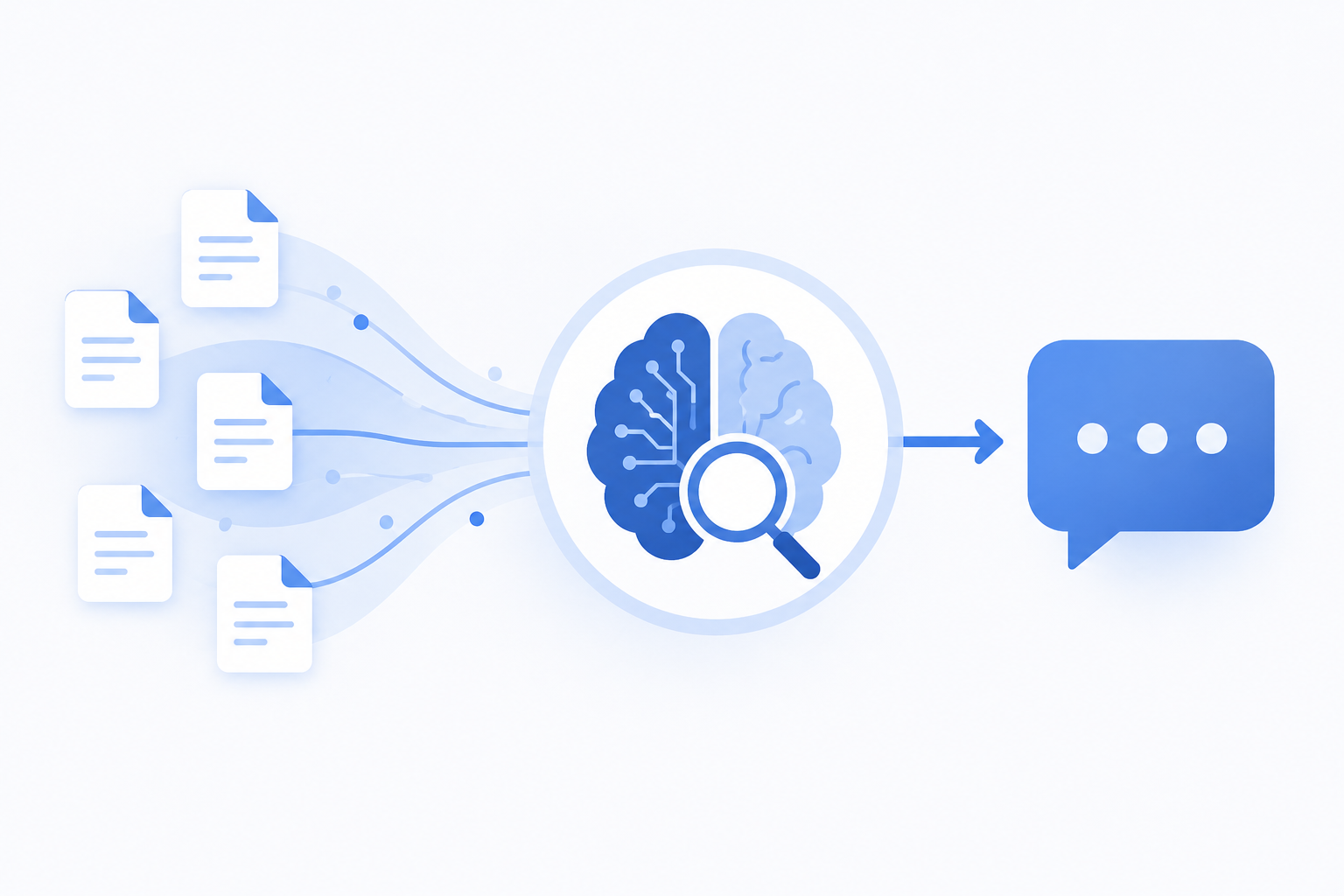
RAG (Retrieval-Augmented Generation) connects a large language model to your internal documents so it answers from your actual knowledge base, not its training data. It retrieves relevant passages at query time, passes them as context to the LLM, and cites the source. No model retraining required.
Most enterprise RAG demos work on day one. In production, they fail on the parts nobody demos: retrieval quality on real queries, document-level access control, and keeping the index fresh as documents change. This guide covers how enterprise RAG works, the best practices that turn a proof-of-concept into a production system, and how to choose between SaaS, private cloud, and on-premise deployment in 2026.
What problem does RAG solve?
LLMs don’t know your internal documents. RAG fixes this by searching your knowledge base at query time and grounding every answer in your actual data.
Large language models (LLMs) like GPT-4 or Claude are trained on vast amounts of public web data. They are extraordinarily capable at reasoning and language generation. But they have a fundamental limitation: they don’t know anything that wasn’t in their training data.
Ask GPT-4 about your internal return policy, your latest product specifications, or your company’s onboarding procedures: it will either confess ignorance or, worse, confidently hallucinate an answer.
RAG solves this by giving the AI a retrieval mechanism. Instead of relying on memorized knowledge, the AI first searches a vector database containing your indexed documents, retrieves the most relevant passages, and uses them as context when generating its response. The result is grounded, verifiable, and updatable without retraining the model.
RAG has rapidly become the dominant architecture for enterprise AI deployments. McKinsey’s 2025 State of AI report positions RAG as a core component of the “agent-ready stack” that organizations should invest in alongside tool-calling infrastructure and policy guardrails, a signal of how central the pattern has become.
How does RAG work? A step-by-step breakdown
RAG converts documents to vectors, retrieves relevant chunks when a question arrives, then passes them as context to the LLM. No retraining required.
Step 1: Document ingestion and chunking
Your documents (PDFs, Word files, Confluence pages, etc.) are loaded into the system and split into smaller segments called “chunks.” Chunking strategy matters enormously: chunks that are too large lose specificity; chunks that are too small lose context.
A typical enterprise configuration uses 512-token chunks with 10% overlap, meaning adjacent chunks share content to prevent critical information from being split across boundaries.
Step 2: Embedding (vectorization)
Each chunk is converted into a numerical vector (a high-dimensional mathematical representation of its semantic meaning) using an embedding model (OpenAI’s text-embedding-3-small, Cohere’s embed-v3, or Mistral’s embedding model).
These vectors are stored in a vector database (Qdrant, Pinecone, Weaviate, or Chroma). The key property of vector databases is that semantically similar texts produce similar vectors, so “vehicle maintenance schedule” and “car service intervals” will be close together in vector space. This enables semantic search that goes far beyond keyword matching.
Step 3: Retrieval
When a user asks a question, the question is also converted into a vector. The system then performs a similarity search in the vector database, retrieving the top-k chunks whose vectors are closest to the question vector (typically k = 3 to 10 chunks).
Enterprise RAG systems often combine dense retrieval (vector similarity) with sparse retrieval (BM25 keyword matching) in a technique called hybrid retrieval. This combination consistently outperforms either method alone, particularly for technical terminology and proper nouns.
Step 4: Generation with context
The retrieved chunks are injected into the LLM’s prompt as context. This is the “augmented” part of RAG. The final prompt looks roughly like:
“Answer the following question using only the provided context. If the answer is not in the context, say so.
Context: [retrieved chunks]
Question: [user’s question]”
The LLM generates a response grounded in the retrieved documents. Most production systems also return the source references so users can verify the answer.
RAG vs fine-tuning: which should you use?
For dynamic, auditable knowledge bases: use RAG. For behavioral customization: fine-tuning. For most production enterprise deployments: combine both.
This is the most common decision point for enterprise AI teams. The short answer: for dynamic knowledge bases, use RAG. For specialized behavior and tone, use fine-tuning. For both, combine them.
| Criterion | RAG | Fine-tuning |
|---|---|---|
| Knowledge updates | Instant (re-index documents) | Requires retraining ($$$) |
| Setup cost | Low–Medium | High |
| Hallucination risk | Significantly reduced | Still present |
| Source citations | Native | Not supported |
| Behavioral customization | Limited | High |
| Best for | Factual Q&A on proprietary data | Domain-specific tone, format, task types |
A practical heuristic: if your core need is “the AI must know our documents,” use RAG. If your core need is “the AI must behave like our best support agent,” consider fine-tuning on top of RAG.
What are the main types of enterprise RAG deployments?
Enterprise RAG deploys as cloud SaaS (30 minutes), cloud VPC (your own cloud, data sovereign), or on-premise (your servers, zero external transfer).
1. Cloud SaaS RAG
Your documents are indexed and stored on the vendor’s infrastructure. Fastest to deploy (under 30 minutes), no maintenance burden. Appropriate for non-sensitive data with a GDPR Data Processing Agreement in place.
Best for: SMEs, teams without IT resources, non-regulated industries.
2. Cloud with private deployment (VPC)
The RAG system runs in your own cloud account (AWS, Azure, GCP), fully isolated from the vendor. Documents never leave your cloud environment. Combines cloud convenience with data sovereignty.
Best for: Mid-market companies with existing cloud infrastructure and moderate compliance requirements.
3. On-premise
The entire RAG stack (vector database, embedding models, orchestration layer) runs on your servers. Zero external data transfer. Maximum control and compliance. See our dedicated guide to on-premise enterprise RAG deployment, or the practical breakdown of what server configuration you need to self-host a full RAG stack.
Best for: Regulated industries (finance, healthcare, defense, legal), enterprises handling trade secrets, organizations subject to strict data residency requirements.
What makes an enterprise RAG system production-ready?
Production RAG needs hybrid retrieval, document-level access control, retrieval observability, multi-channel support, and automatic re-indexing when documents change.
A proof-of-concept RAG demo is trivial to build. A production-grade system that performs reliably at scale is a different matter: MIT’s 2025 State of AI in Business report found that only 5% of enterprise GenAI pilots reach production. Key requirements:
Retrieval quality: Standard vector similarity retrieval struggles with enterprise queries involving technical jargon, acronyms, or cross-document reasoning. In real-world deployments, hybrid search benchmarks consistently show that dense-only retrieval misses a significant share of exact-match queries. Production systems add hybrid retrieval (vector + BM25), query rewriting, and re-ranking to close this gap.
Access control: In an enterprise context, not all employees should access all documents. Production RAG must enforce document-level permissions, filtering retrieved chunks based on the user’s role.
Observability: When the AI gives a wrong answer, you need to know why: was it a retrieval failure (wrong chunks returned) or a generation failure (correct chunks, wrong answer)? Production systems log retrieval metrics alongside generation quality.
Multi-channel deployment: Enterprise AI agents need to serve users where they work: web widget, Microsoft Teams, Slack, WhatsApp. A single knowledge base should power all channels without duplication.
Freshness: Documents change. A RAG system must re-index updated documents automatically, with configurable schedules per source (real-time for critical docs, weekly for static archives).
How to get started with enterprise RAG: readiness checklist
Map document sources, decide cloud vs. on-premise, define channels and LLM preferences, and set a measurable success KPI before evaluating any platform.
Before selecting a RAG platform, answer these questions:
- Data inventory: What document sources need to be connected? (SharePoint, Confluence, local drives, PDFs)
- Volume: How many documents? What is the total size? How frequently do they change?
- Deployment model: Cloud SaaS, VPC, or on-premise? (Driven by compliance requirements)
- Channels: Web widget only, or also Teams, Slack, WhatsApp?
- LLM preference: Are you already using OpenAI? Do you need Mistral for data sovereignty?
- Integration: Does the RAG agent need to call external APIs or tools (CRM, ITSM)?
- Success metric: How will you measure whether the agent is working? (Deflection rate, resolution rate, user satisfaction score)
Answering these questions before evaluating platforms will save significant time and prevent costly architectural mistakes.
GuardWeaver is built to answer all of these requirements out of the box, connecting to SharePoint, Confluence, Google Drive, PDFs and more, deploying on your channels, and running on-premise if your compliance requirements demand it. See our offers page for details, or read our practical guide: How to connect SharePoint and Confluence to an AI agent.