
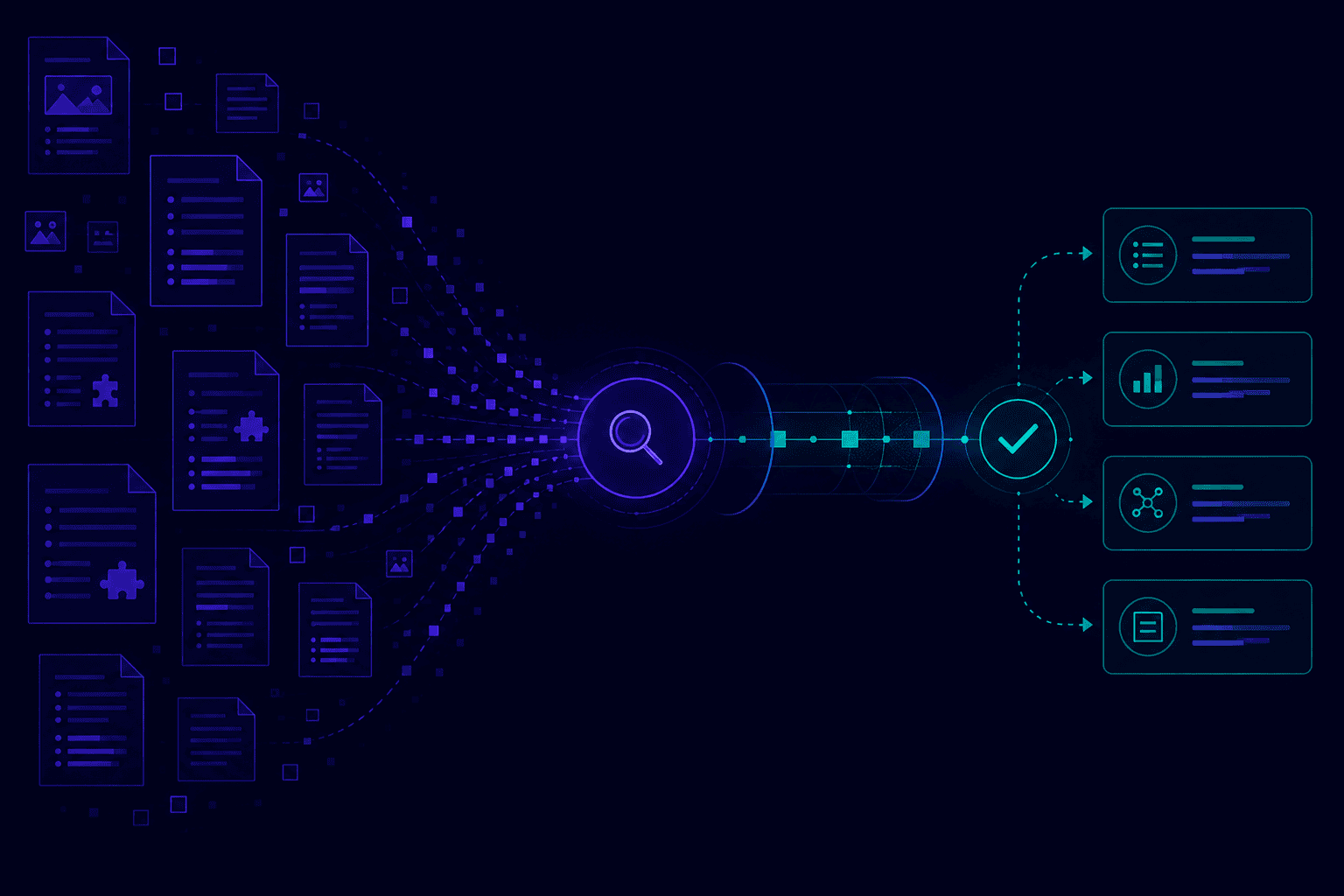
Confluence is where engineering knowledge lives: runbooks, architecture decision records, product specifications, incident playbooks, onboarding guides. The problem is that finding a specific answer inside Confluence requires knowing where to look. A RAG chatbot changes that by making your entire wiki queryable in plain language, from Slack, Teams, or a web widget.
Why does Confluence search fail as an engineering knowledge base?
Confluence search returns pages, not answers. For nested spaces and multi-team wikis, it consistently fails to surface the specific passage an engineer needs under time pressure.
Confluence is used by over 75,000 organizations globally, and it stores some of the most operationally critical knowledge in any engineering organization: how to deploy a service, how to respond to an incident, which architectural decision was made and why. Despite this, its native search is a structural bottleneck.
Three failure modes that a RAG chatbot resolves:
Search returns the page, not the answer. When an on-call engineer searches “database connection pool timeout,” Confluence returns several pages that mention connection pooling. The engineer has to open each page and scan for the relevant parameter. A RAG chatbot extracts the exact configuration line and answers directly, with a link to the source page.
Multi-space knowledge is not synthesized. The answer to “how do we handle PII in our event stream?” may require reading the data engineering space, the security runbook space, and the product compliance space. Confluence search does not synthesize across spaces. A RAG chatbot with a unified index across all spaces does.
Outdated pages bury current ones. A space accumulates years of pages. The runbook updated in 2024 and the deprecated one from 2021 appear side by side in search results. RAG retrieval ranks by semantic relevance and can be configured to weight recently updated pages higher.
According to McKinsey Global Institute, knowledge workers spend an average of 19% of their working time searching for information. For engineering teams where that search happens inside Confluence under incident pressure, the cost is high.
What does a Confluence RAG chatbot do differently from native search?
A Confluence RAG chatbot runs semantic search across all indexed spaces, extracts the relevant passage, and delivers a cited answer in the channel where the engineer is already working.
The difference between native search and RAG retrieval is architectural:
Keyword search matches terms in documents. It ranks documents by term frequency. It returns document titles and excerpts. It does not understand intent or synthesize information.
Semantic RAG retrieval converts every Confluence page into vector embeddings that capture meaning. When an engineer asks a question, the question is also vectorized and compared against the index. The most semantically similar passages are retrieved (not full pages), passed to a language model, and the model generates a direct answer grounded in those passages.
The practical result: a question like “what is our rollback procedure for the payments service?” retrieves the relevant section of the deployment runbook, not a list of pages that mention “rollback.”
The RAG platform indexes Confluence pages into chunks of 400-700 tokens with overlap, so answers can span sections within a page. Metadata (page title, space, last updated, author) is preserved alongside each chunk and included in the cited answer.
What Confluence content types does the RAG chatbot index?
A Confluence RAG connector indexes pages, blog posts, and attachments. For engineering teams, PDF runbooks and Word specs attached to pages are as important as the page content itself.
Confluence content types and how they are handled:
Confluence pages: the primary content type. The connector reads page content including inline text, tables, and code blocks. Confluence macros that embed external content are not followed, but inline code samples and configuration tables are included in the index.
Confluence blog posts: indexed by default alongside pages. Useful for engineering retrospectives, release announcements, and post-mortems that contain decision context not captured in structured pages.
Attachments: PDFs, Word documents, and spreadsheets attached to pages are indexed when attachment access is enabled in the connector configuration. This is critical for engineering teams where process documents, architecture diagrams (with text annotations), and compliance checklists live as attachments on Confluence pages.
Inline code blocks and tables: parsed and included in the index. An engineer asking “what is the environment variable for the staging database host?” can retrieve the answer from a configuration table embedded in a Confluence page.
For large engineering wikis, Atlassian reports that the majority of institutional knowledge is stored in attachments and nested sub-pages, not at the top level of a space. A connector that indexes only top-level pages captures a fraction of the actual knowledge base.
What are the highest-value use cases for a Confluence RAG chatbot?
The highest-value Confluence RAG use cases are operational: runbooks during incidents, ADRs during architecture reviews, onboarding guides for new engineers, and product specs during sprint planning.
Confluence stores technical knowledge that is accessed under time pressure. This is what makes a RAG chatbot particularly valuable compared to a SharePoint deployment, where most queries are exploratory rather than operational.
Engineering runbooks: “What are the steps to restart the authentication service?” A RAG chatbot retrieves the exact procedure from the runbook, cutting the time-to-resolution during an incident. Runbooks are the highest-priority Confluence content to index.
Architecture Decision Records (ADRs): “Why did we choose gRPC over REST for the notification service?” A RAG chatbot surfaces the ADR with the decision rationale, preventing teams from relitigating settled decisions and onboarding new engineers faster.
Product specifications: “What are the acceptance criteria for the payment retry logic?” Product managers and engineers query specs without navigating to the correct Confluence space and searching within it.
Incident playbooks: “What is the escalation path for a Tier 1 database outage?” Real-time retrieval from incident playbooks during high-stress situations. This is where the latency difference between Confluence search and RAG retrieval has a measurable operational impact.
Onboarding documentation: new engineers ask “how do I set up my local development environment?” and receive a cited step-by-step answer from the onboarding guide. Reduces repeat questions to senior engineers.
A survey by Atlassian found that 76% of engineering leaders consider documentation critical to team performance, yet most teams struggle to make that documentation accessible at the moment of need. A Confluence RAG chatbot closes this gap.
How does the chatbot respect Confluence space and page permissions?
Space permissions and page restrictions defined in Confluence are respected at retrieval time. Engineers cannot query content they cannot access in Confluence.
Access control is the non-negotiable enterprise requirement for a Confluence RAG chatbot. A wiki that mixes public engineering documentation with restricted HR decisions or unreleased product roadmaps cannot be indexed without enforcing Confluence’s permission model.
Confluence has two levels of access control that a RAG connector must handle:
Space permissions: Confluence spaces can be restricted to specific groups. An HR space visible only to the HR group in Atlassian Access should not be retrievable by engineers querying the chatbot. The connector reads space permissions at indexing time and tags each chunk with its access metadata.
Page restrictions: individual pages within a space can restrict view access to specific users or groups. A page-level restriction is more granular than the space permission and must be enforced separately. A connector that only reads space permissions without checking page restrictions will leak restricted content.
At retrieval time, the user’s identity (from SSO via Atlassian Access, Google Workspace, or Microsoft Entra ID) is checked against the access metadata of candidate chunks. Only chunks the authenticated user can access in Confluence are included in the answer.
Verify the access control model explicitly with your vendor. Ask for a live demonstration: create a page with restricted view access, index the space, then query the chatbot as a user who does not have access. The answer should either be empty or indicate that no relevant content was found, not reveal the restricted page content.
How do you connect Confluence to a RAG chatbot without writing code?
The Confluence REST API connector authenticates via OAuth 2.0 (Cloud) or a personal access token (Data Center), selects spaces to index, and handles crawling and re-indexing automatically. No developer required.
The Atlassian REST API is the standard integration path for both Confluence Cloud and Confluence Data Center:
Confluence Cloud: OAuth 2.0 authentication with an Atlassian developer account. The RAG platform registers as an OAuth app in the Atlassian developer console with read permissions on Confluence content. Required scope: read:confluence-content.all for pages and attachments. The platform walks through the OAuth consent flow in the dashboard.
Confluence Data Center: personal access token (PAT) or service account credentials. The PAT is generated in the Data Center user settings and scoped to read-only access. No OAuth flow is required. The connector points to the Data Center base URL and authenticates with the PAT.
In both cases, the configuration in the RAG platform dashboard is: enter the base URL, authenticate, select the spaces to index, and set the re-indexing schedule. The connector handles the rest: paginated crawling, attachment parsing, incremental updates.
No code is written. No custom API integration is needed. The connector is a point-and-click configuration that takes under 10 minutes for a standard Confluence Cloud deployment.
For organizations managing both Confluence and SharePoint, the same RAG platform can index both sources into a unified knowledge base. See how to connect SharePoint, Confluence, and PDFs to an AI agent for a combined deployment guide.
Where should you deploy the Confluence RAG chatbot: Slack, Teams, or widget?
Slack is the default deployment target for engineering teams using Confluence. Teams is the right choice for Microsoft-aligned organizations. A web widget works for intranet portals.
The deployment channel determines the adoption rate. Meeting engineers where they already work is critical.
Slack: the most common deployment for engineering teams. The RAG chatbot is added as a Slack app to engineering channels. Engineers query Confluence directly from Slack with /ask commands or by mentioning the bot. Results include the cited Confluence page and the specific passage. For incident response, Slack integration means the runbook answer is available without switching context.
Microsoft Teams: the right choice for enterprises standardized on Teams. The RAG platform generates a Teams bot manifest that is uploaded to the Teams admin center. Deployment time: under 30 minutes. See the SharePoint RAG chatbot guide for Teams-specific deployment steps that also apply when Confluence is the primary knowledge source.
Web widget: embeds the chatbot on an internal developer portal or intranet. Useful for engineering teams using tools like Backstage, internal documentation portals, or company intranets where Confluence content should be surfaced alongside other resources.
Standalone web app: for organizations that want a dedicated knowledge base interface. Engineers log in with SSO and query Confluence in a dedicated tool. Less common than Slack or Teams for engineering use cases, but useful when the target audience includes non-engineering stakeholders.
What is the difference between the Confluence Cloud and Data Center connectors?
Confluence Cloud uses OAuth 2.0 and is ready in minutes. Data Center uses a personal access token and supports on-premise RAG deployment for organizations that cannot route engineering knowledge through a third-party cloud.
The connector mechanics differ, but the end user experience is identical:
| Criterion | Confluence Cloud | Confluence Data Center |
|---|---|---|
| Authentication | OAuth 2.0 (developer console) | Personal access token or service account |
| API version | REST API v2 (cloud-specific) | REST API v1 / v2 (version-dependent) |
| Setup time | Under 10 minutes | 15-20 minutes (PAT generation + network config) |
| On-premise RAG deployment | Not applicable (cloud-hosted source) | Full on-premise: source and RAG stack on your infrastructure |
| Atlassian Intelligence | Available on Premium/Enterprise | Not available on Data Center |
| Re-indexing | Webhook-triggered or scheduled | Scheduled (polling); webhook available on recent versions |
For European enterprises with data sovereignty requirements, Confluence Data Center combined with an on-premise RAG deployment keeps all engineering knowledge on your own infrastructure. No data routes through any third-party cloud. See the on-premise AI chatbot GDPR guide for the full compliance architecture.
Confluence Data Center is also the right path for organizations that have not migrated to Cloud and are not planning to. The REST API on Data Center is mature and supports all standard indexing operations, though webhook-based re-indexing requires a recent Data Center version (8.0+).
Confluence RAG chatbot vs Atlassian Intelligence: which fits your organization?
Atlassian Intelligence requires a Premium or Enterprise Confluence plan plus additional per-user cost. A RAG connector works with any Confluence Cloud plan and with Data Center, at a fraction of the cost.
Atlassian Intelligence is Atlassian’s native AI layer for Confluence Cloud. It is integrated directly into the Confluence editor and search interface. It is also the first option teams consider when they want to add AI to Confluence.
| Criterion | Atlassian Intelligence | Confluence RAG chatbot |
|---|---|---|
| Plan requirement | Premium or Enterprise only | Any Confluence Cloud or Data Center plan |
| Deployment targets | Confluence interface only | Slack, Teams, web widget, standalone |
| Data sources | Confluence only | Confluence + other sources (SharePoint, PDFs, Notion, Jira) |
| On-premise deployment | Not available | Available (Data Center + on-premise RAG) |
| GDPR / data sovereignty | Atlassian cloud-hosted | EU-sovereign or on-premise option |
| Custom access control | Respects Atlassian permissions | Permission inheritance configurable |
| Multi-source knowledge base | No | Yes |
Atlassian Intelligence is the right choice when your organization is on Confluence Premium or Enterprise and needs AI assistance embedded directly in the Confluence editing workflow (page summaries, action item extraction, inline Q&A within Confluence). It requires no additional integration effort.
A Confluence RAG chatbot is the right choice when you need to query Confluence from Slack or Teams without opening Confluence, when you want to combine Confluence with other knowledge sources (SharePoint, internal PDFs, Jira issue history), when you are on Confluence Standard (not Premium/Enterprise), or when you require on-premise or EU-sovereign deployment.
For most engineering teams, the deployment channel is the deciding factor. If engineers spend their day in Slack and open Confluence only to read pages, a Slack-integrated RAG chatbot captures significantly more usage than a feature embedded inside the Confluence UI.
According to Atlassian’s own pricing page, Atlassian Intelligence is exclusively available starting from the Premium plan. The Standard plan, used by the majority of Confluence Cloud customers, does not include AI features. A RAG connector fills this gap without requiring a plan upgrade.
How do you go from Confluence space to live chatbot in 30 minutes?
Authenticate the connector, select three to five high-value spaces, configure permission inheritance, activate Slack, and validate with 20 operational queries. Total: 30-60 minutes.
Step-by-step deployment for a Confluence Cloud + Slack deployment:
Step 1: identify your three highest-value spaces. For engineering teams, these are typically the runbook space, the architecture/ADR space, and the onboarding space. These three cover the majority of repeated questions. Start with them and expand to other spaces after validating answer quality.
Step 2: create an OAuth app in the Atlassian developer console. Go to developer.atlassian.com, create a new app, and add the Confluence Cloud product scope with read:confluence-content.all permission. This takes five minutes. The RAG platform documentation provides the exact scopes to request.
Step 3: configure the connector in the RAG platform dashboard. Enter your Confluence Cloud base URL and complete the OAuth flow. Select the three spaces identified in Step 1. Set re-indexing to daily for active spaces and weekly for stable documentation. Enable attachment indexing if PDF runbooks or Word specs are attached to pages.
Step 4: configure permission inheritance. Enable space permission and page restriction inheritance in the connector settings. Define the identity provider (Atlassian Access, Google Workspace, or Entra ID) for user identity resolution at retrieval time. Test with one restricted page before proceeding.
Step 5: activate the Slack integration. In the RAG platform, generate the Slack app manifest. Install the app to your Slack workspace from the Slack API dashboard. Add the bot to your primary engineering channels (on-call, deployments, architecture). Configure the bot name and avatar.
Step 6: validate with operational queries. Run 20 questions drawn from recent Slack threads or incident tickets where engineers searched for Confluence content. Verify that answers cite the correct page and section, that permission filtering blocks restricted content for users without access, and that out-of-scope questions are declined cleanly without hallucinated answers.
For organizations also using SharePoint for HR, legal, or business documentation alongside Confluence for engineering knowledge, the same RAG platform can index both sources. Engineers query a single bot that retrieves from whichever source holds the relevant knowledge. See the SharePoint RAG chatbot guide for the SharePoint connector configuration.
GuardWeaver connects natively to Confluence Cloud and Confluence Data Center via the Atlassian REST API, inherits space permissions and page restrictions at the chunk level, and deploys on Slack or Microsoft Teams without custom code. Available as SaaS hosted on OVH in France or as on-premise deployment for Data Center environments and data sovereignty requirements. Connect your Confluence and see a demo.